

How to use Google Flights like a pro (and actually save money)

PHOTO: Unsplash

If you're not the type who likes to plan your travel logistics but still wants to save some money when doing your travel planning, you may hate it when it comes to searching for flight deals.
Booking flights from Singapore is always so expensive whenever I search, but I've heard of so many people scoring cheap flights to the US or getting a cheap deal on business class, without cashing in their miles!
That's where Google Flights may actually come in handy to help with the research. There are a ton of features to play around with, depending on your preferences, to get the most out of it.
Here are our tips on how to use it.
Google Flights is basically Google's search engine for commercial flights.
It shows flights across multiple airlines, lets you track fares over time, compares dates and airports, and even predicts if prices are likely to rise or fall.
It's great for finding the lowest price for your flight, according to your preferences, which you can set with the search parameters. This includes:
What it isn't is that it doesn't handle the flight bookings itself. You'll be redirected to the airline website or a third-party travel platform.
But that's fine. Google Flights is best used as a research and strategy tool. Once you find the right flight, you can book directly with the airline. This way, it's safer for refunds and changes anyway.
If you can't decide where to go and just want to go somewhere cheap, there's a nifty little feature that shows you a whole bunch of flights at a glance. Click on "Explore" and you'll see a world map showing fares from Singapore to various destinations.
The map reveals the cheapest flights to other destinations as you move it. Check out the map below. You can see that flying to Perth is about the same as flying to Hong Kong, and cheaper than a flight to Seoul.
Of course, these prices show the cheapest flights and airlines, but some things may not be included. For instance, the flight to Perth is operated by Jetstar, a low-cost carrier, so meals and checked baggage allowance will cost extra. Similarly, the flight to Seoul is operated by AirAsia and includes a 2h+ stopover in KL.

If you haven't yet figured out your budget, or are hoping that the flight prices drop, you can track them.
Or if you see that prices are typically high at the time of your search, you may want to make use of the price tracking feature.
There's a small toggle under the search bar that lets you track the prices of the routes you want. Switch it on and Google will email you when fares change. There's no need to constantly monitor various airlines for deals or set reminders on when to book.
If your dates are flexible, the calendar view is one of the most powerful features. Shift your trip by just a day or two, and you might save a lot.
Check this out. Using random dates for a trip to Seoul, you can see that the largest savings are up to a difference of $165 just by flying on different days. From this, you can see that flying on weekdays is generally cheaper than at weekends.

If a city is served by other airports, flying into or out of a different one can save you some money.
For instance, Tokyo Haneda vs Tokyo Narita. While Haneda is super near the city, it is generally more expensive to fly to. Most people fly to Narita because it's much cheaper.
London, for instance, has Heathrow and Gatwick and other airports. Comparing these two, flights to Gatwick are a tad cheaper. Going into the city from both these airports takes about the same time, depending on where in the city you stay.


There are also times when departing from Kuala Lumpur instead of Singapore makes more sense price-wise wise if the timing fits.
Now you can see how some of the prices are super cheap and sound way too good to be true. Oftentimes, they're the prices of budget airlines or flights with super-long stopovers that make no sense.
To reduce your time searching again or getting shocked once you click through to the final website, apply the various filters provided to avoid them.
If you're looking at budget flights, remember that budget airlines do not allow checked baggage for free. If those cheap fares sound too good to be true, they probably are.
Toggle if you want stopovers or a direct flight. Sometimes a short layover saves hundreds; sometimes it's not worth it.
Use Google Flights for research, but always cross-check budget airlines and final booking terms.
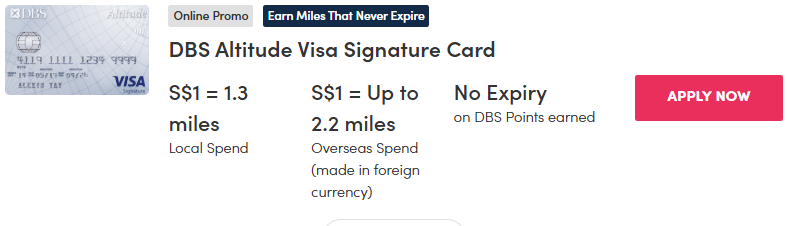
Of course, the best way to save more money is when you make use of promotions.


Cover yourself with travel insurance: Protects against cancellations, lost luggage, and medical emergencies.


Having said all that, there are some mistakes to avoid, such as waiting in vain for air fares to drop, especially during peak periods.
Don't forget about luggage costs, too. That flight isn't cheap once you add luggage and meals.
If the price offered sounds too good and you're led to the page of a random third-party agent, you may want to think twice. Some of these platforms have poor refund policies and zero customer service.
Google for reviews, check what Reddit says. If there are too many complaints, if you still want to go ahead, you'd best have travel insurance ready and hope that nothing goes wrong with your flight.
[[nid:722723]]
This article was first published in MoneySmart.