

Apple iMessage courier phishing scams: Losses up by $1m to $2.2m in 2 weeks
Check to see if a "failed parcel delivery" is an iMessage

Remember, courier companies do not typically use iMessage to contact customers.
PHOTO: Singapore Police Force

 PUBLISHED ONAugust 20, 2026 5:58 AMBYSean Ler
Phishing scams involving the impersonation of courier companies via Apple iMessage have surged over the past two weeks, with losses now estimated to be around $2.2 million, up from the $1.2 million reported on Aug 5.
Police said in an updated news release on Thursday (Aug 20) that their Cyber Command disrupted over 30,000 Apple iMessage accounts linked to the scam campaign since June this year.
Victims typically receive messages via Apple iMessage from scammers impersonating recognised courier companies such as NinjaVan, J&T Express, and SPX Express.
There were also instances of messages impersonating government agencies and financial institutions.
The messages usually originate from numbers bearing country codes such as +212 (Morocco), +63 (The Philippines), +44 (United Kingdom), or from email addresses comprising random alphanumeric strings that appear to belong to couriers, the police said.
In this messages, victims would be directed to click on links closely resembling the URLs of legitimate courier companies, government agencies, or financial institutions.
There have also been reports of victims being directed to reply "Y" or "1" to acknowledge the message.
In its advisory, the police pointed out that this is likely an attempt to circumvent Apple iMessage’s built-in protection, which renders a link in a message from an unknown sender, unclickable until the recipient interacts with the sender.
However, the embedded link becomes clickable once the recipient responds.
Those who click on the link are redirected to a spoofed website that closely resembles the official websites of courier companies, government agencies or financial institutions.
Victims are then prompted to make a small payment or pay a fine by entering their card details and/or internet banking credentials, and authorising the transaction using their digital tokens.
According to the police, some victims were also deceived into providing their one-time passwords, and their credit cards were added to Google Pay or Apple Pay.
Some victims also found that there were unauthorised logins to their bank accounts from unfamiliar devices.
They would only realise that they have been scammed after noticing unauthorised transactions on their cards or bank accounts.
Apple iMessage users can spot the signs to avoid being scammed.
Such messages will usually have a header that indicates that it is an iMessage and there is a send button in blue at the bottom of the message.
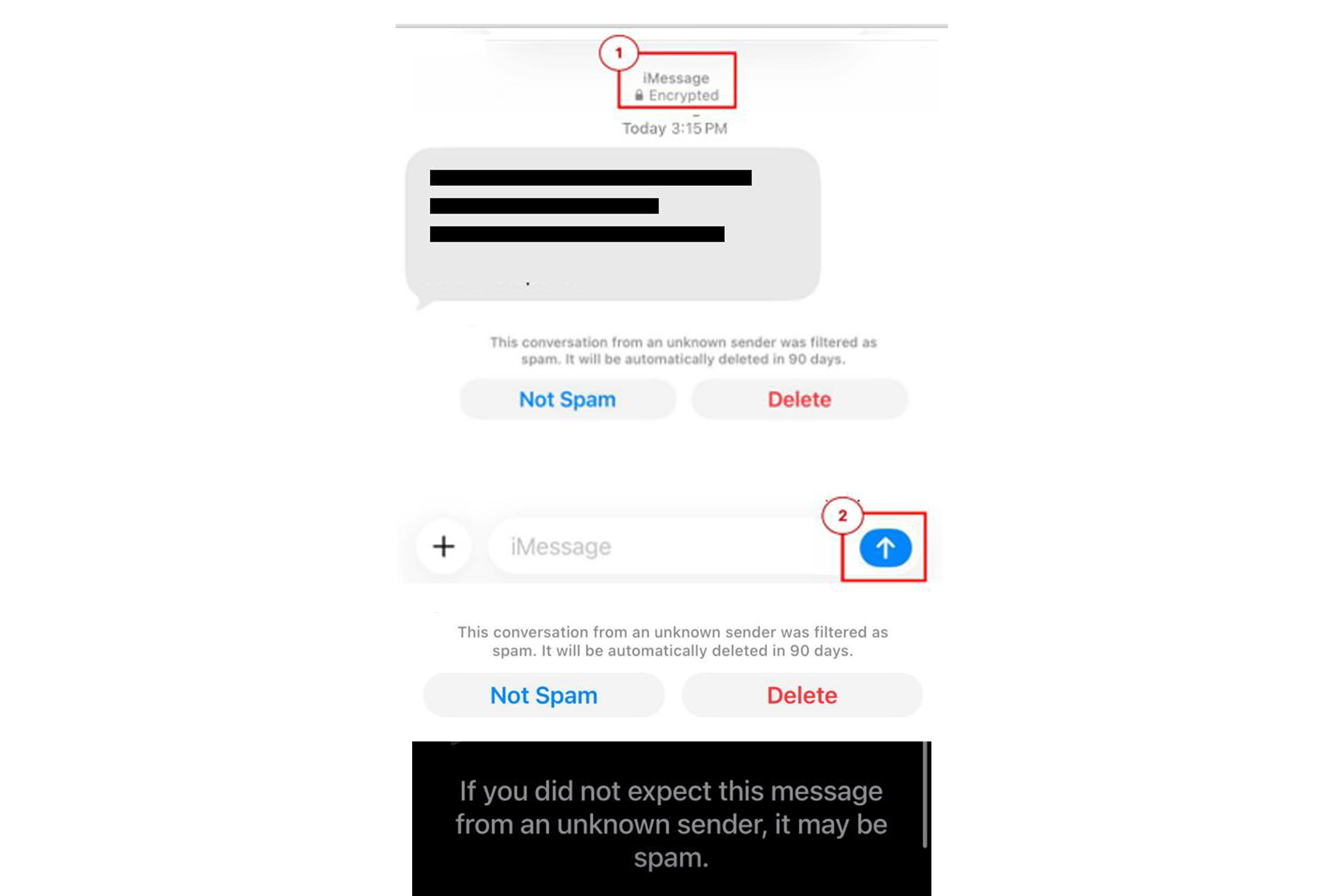
In addition, iMessage will prompt users with a suggestion that messages in such conversations could be spam.
Do not ignore these signs and stop to ask for help if unsure.
Those who require more information on scams or are unsure can call the 24/7 ScamShield helpline at 1799.
[[nid:742910]]